
Applications
A Pathfinder application is a set of clusters that share their routing configuration and authentication. Unless you are developing multiple applications, you likely will not need multiple Pathfinder applications.
Registering an application
Before integrating your app with Pathfinder, you must register an application. This can be done through the dashboard at https://thepathfinder.xyz. All that you need is a name, which does not need to be unique.
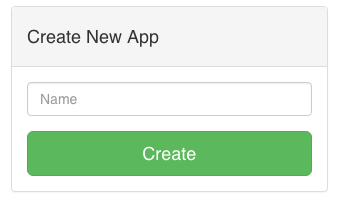
Figure 1: Could it be easier?
Pathfinder will generate an application id for your new application which is its unique identifier.
Configuring an application
After you've created an application, you should see a new application card on the dashboard. The Identifier field is the unique Pathfinder application identifier used by the SDKs to identify your application.
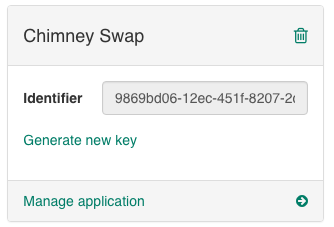
Figure 2: A Pathfinder application card
If you plan to use custom authentication instead of Pathfinder hosted authentication, you will need to generate a new key. By clicking on the "Generate new key" link, Pathfinder will generate a public/private RSA key pair for your application and your browser will download the private key. At this time Pathfinder does not support uploading your own key.
You can delete an application by clicking on the . Deleting an application cannot be undone and has undefined behavior for vehicles and transports currently using your application.
Updated less than a minute ago